Spoonflower tells you that you made a sale. It does not tell you how this month compares to last, which colorway is doing the work, or how close you are to the next bonus tier. Lumitela is Spoonflower analytics built for pattern designers: your order emails and payment statements go in, and one reconciled picture of your shop comes out, with nothing typed in by hand.
How Lumitela gets your Spoonflower data
There are two feeds, and neither asks for your Spoonflower password.
The Lumitela Chrome extension is a side panel that reads your own shop pages in your own browser, while you are logged in, the same way you read them yourself. Its guided first import pulls your Spoonflower payment statements year by year, your whole Design Library with thumbnails, titles, tags and collections, and your Etsy statements if you sell there too. After that it keeps everything in sync on a schedule. See Install the Lumitela extension.
Email forwarding keeps you current from the moment you turn it on. Add a one-time forwarding rule in your own mailbox and every new order confirmation reaches Lumitela within a minute or two of arriving. There is nothing to install and no password to hand over. See Forward your Spoonflower and Etsy order emails in real time.
Not on Chrome? Everything the extension does has a file-upload equivalent. See Import your Spoonflower sales history.
What the dashboard shows
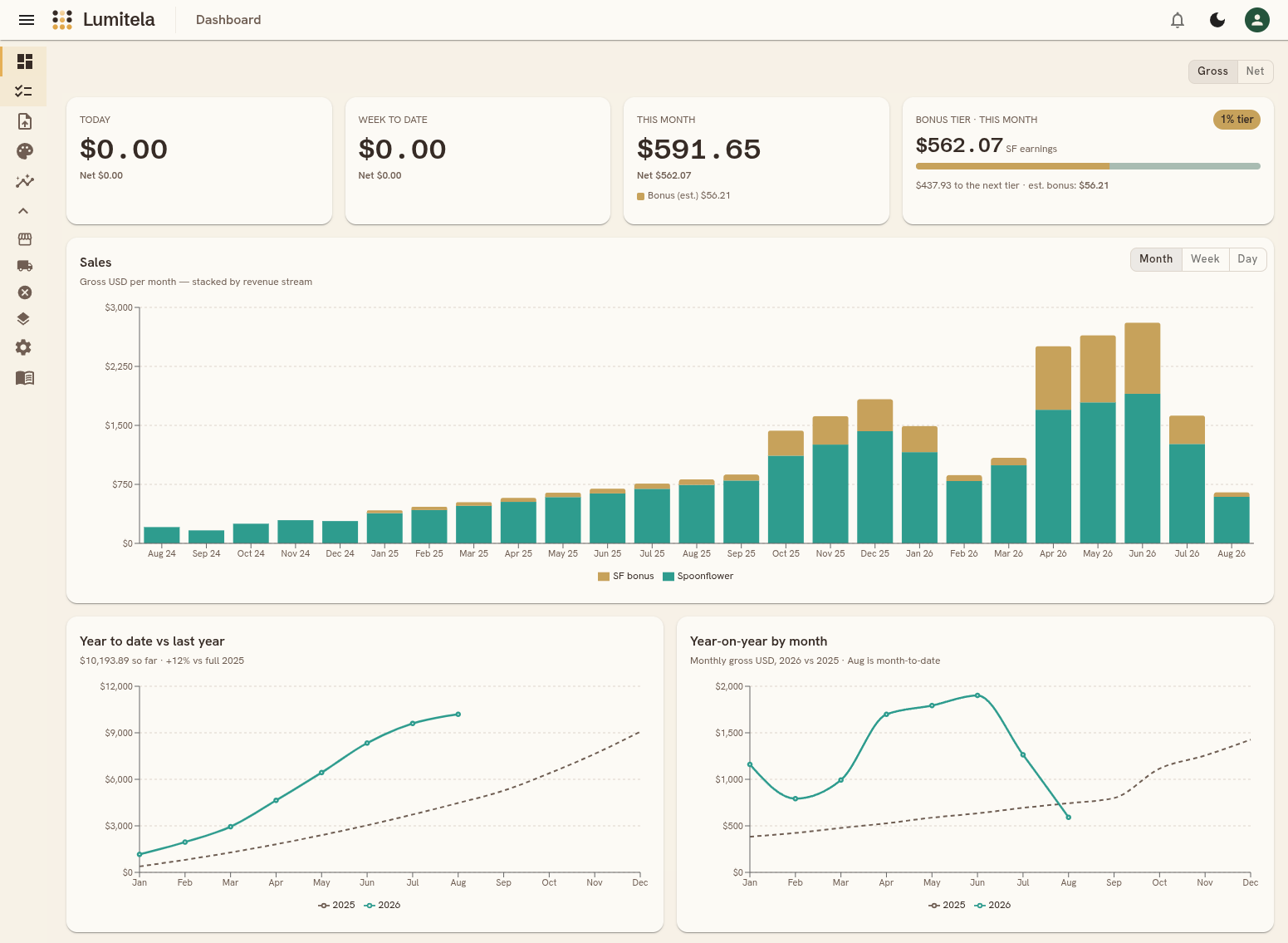
The dashboard is your home screen: a quick read on today, this week, this month, and how this year compares to last.
- Summary tiles for Today, Week to date, This month, and Per day this month. Each tile follows a Gross / Net switch, so you can flip every figure on the page between gross sales and net of Spoonflower's withholding. Sell on Etsy too? The tiles break out each channel separately.
- The Spoonflower bonus tier tracker sits next to the tiles and shows your current tier, this month's earnings so far, a progress bar to the next tier, and the estimated bonus. More on that in Dashboard and Spoonflower bonus tier tracker.
- The sales chart stacks your revenue by channel month by month, with a third band for the Spoonflower bonus, and switches to weeks or days when you want a closer look.
- Year to date vs last year and year-on-year by month put this year against the same point last year, so you can tell at a glance whether you are ahead or behind.
- Average sales per day over the last two years, with a twelve-month projection drawn as a lighter dashed line inside its likely range. Choose from three forecasting methods; if your history is too short for the one you pick, the chart falls back to a simple trend line.
- Sales since a moment you pick, top designs, top customers, and your substrate mix round out the page.
Prefer the numbers in your inbox? A short daily report email brings the previous 24 hours of sales to you each morning.
Insights per design and per colorway
Totals are only half of it. Because Lumitela also holds your whole Design Library, it can answer questions a spreadsheet never could.
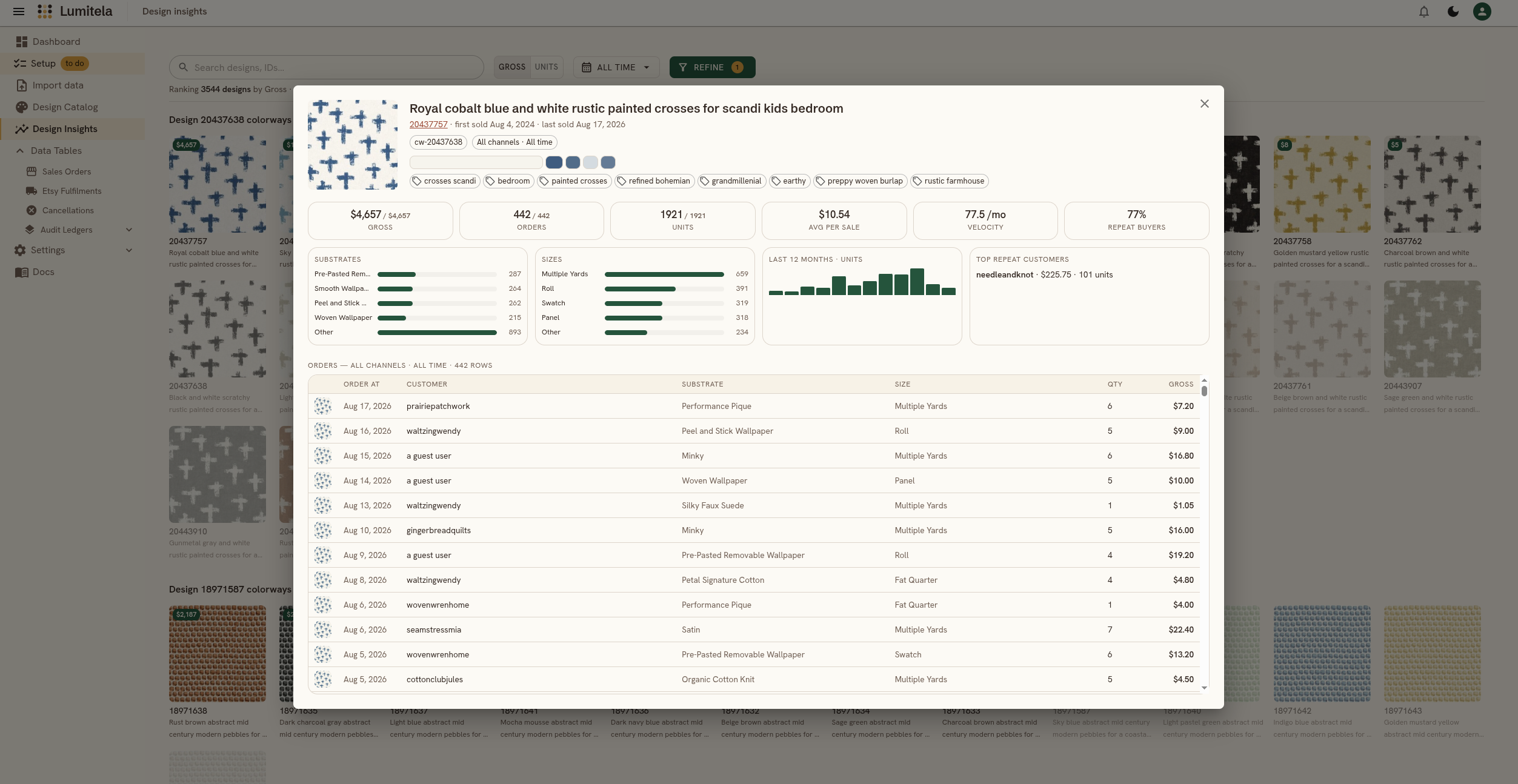
Design Insights ranks every design you have sold for whatever period and channel you choose, by gross or by units. Group the ranking by colorway family or by Spoonflower collection to see your repeat sellers and your quiet ones side by side.
The Design Spotlight goes deeper on any single design: lifetime sales, orders and units, the substrates and sizes buyers actually choose, the split between channels, your repeat customers, and every order that ever included it. See Design Insights: what sells on Spoonflower and Etsy.
Your Spoonflower Design Library as a catalog
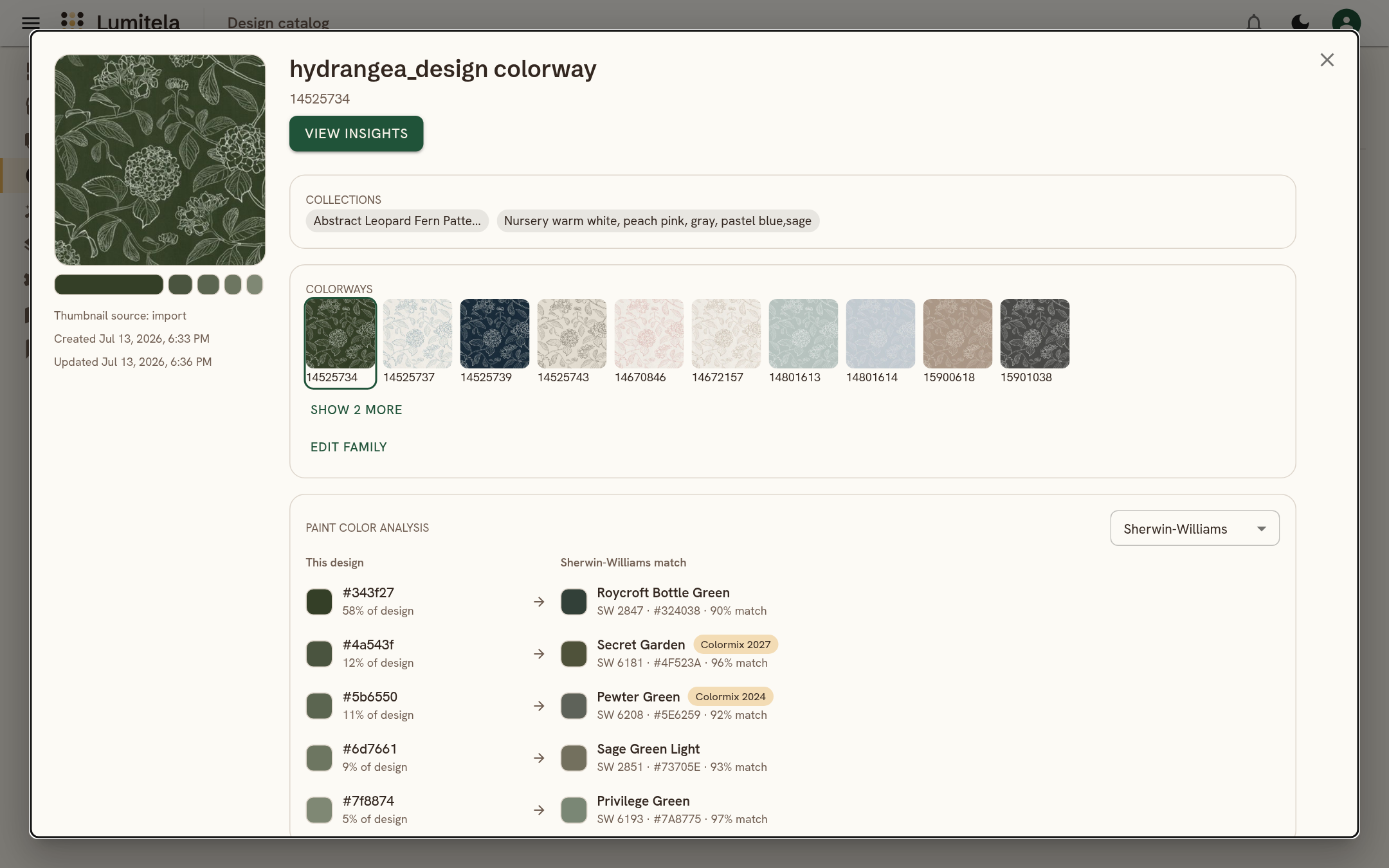
The Design Catalog is your Design Library, synced from Spoonflower and searchable. Colorways of the same design can be grouped into families, so a pattern you sell in six palettes reports as one family instead of six strangers. Auto-grouping matches on how the thumbnails actually look, and only runs when you ask. Your Spoonflower collections come across exactly as you organized them.
Open any design and its dominant colors are extracted for you and matched to real paint colors from Sherwin-Williams, Benjamin Moore or Farrow & Ball. Copy a swatch as HEX, RGB, HSL or OKLCH and design toward it. See Design Catalog: your Spoonflower designs and colorways.
Etsy orders, matched to their Spoonflower cost
If you sell on Etsy and fulfill through Spoonflower, every Etsy sale is paired with the Spoonflower order that filled it. That is what makes a true margin possible: gross margin is the Etsy sale minus the Spoonflower cost, and net margin takes Etsy's own fees off as well, right down to the order. Most pairs are matched automatically; the rest wait in a workspace for a quick look. See Etsy to Spoonflower order matching.
Why not a spreadsheet?
A spreadsheet can hold your statement lines. It cannot watch your inbox, pair an Etsy sale with its Spoonflower receipt, or recognize that two thumbnails are the same design in different colors. Lumitela does the tedious part so the numbers are simply there when you open it, and every figure can be traced back to the source line it came from in the read-only audit ledgers.
Common questions
Does Lumitela need my Spoonflower password?
No. The extension reads your shop pages in your own browser while you are logged in, and email forwarding is a rule you add in your own mailbox. Neither hands a password to Lumitela.
Can I see my Spoonflower sales history from before I signed up?
Yes. The extension pulls your Spoonflower statements year by year, and you can add exported order emails for the retail detail. Your history is rebuilt with the same accuracy as live data.
How much does it cost?
US$15 a month or US$150 a year, which is two months free. Every account starts with a free 14-day trial, and no card is needed to begin.