Spoonflower analytics with Lumitela: an overview
What is Lumitela?
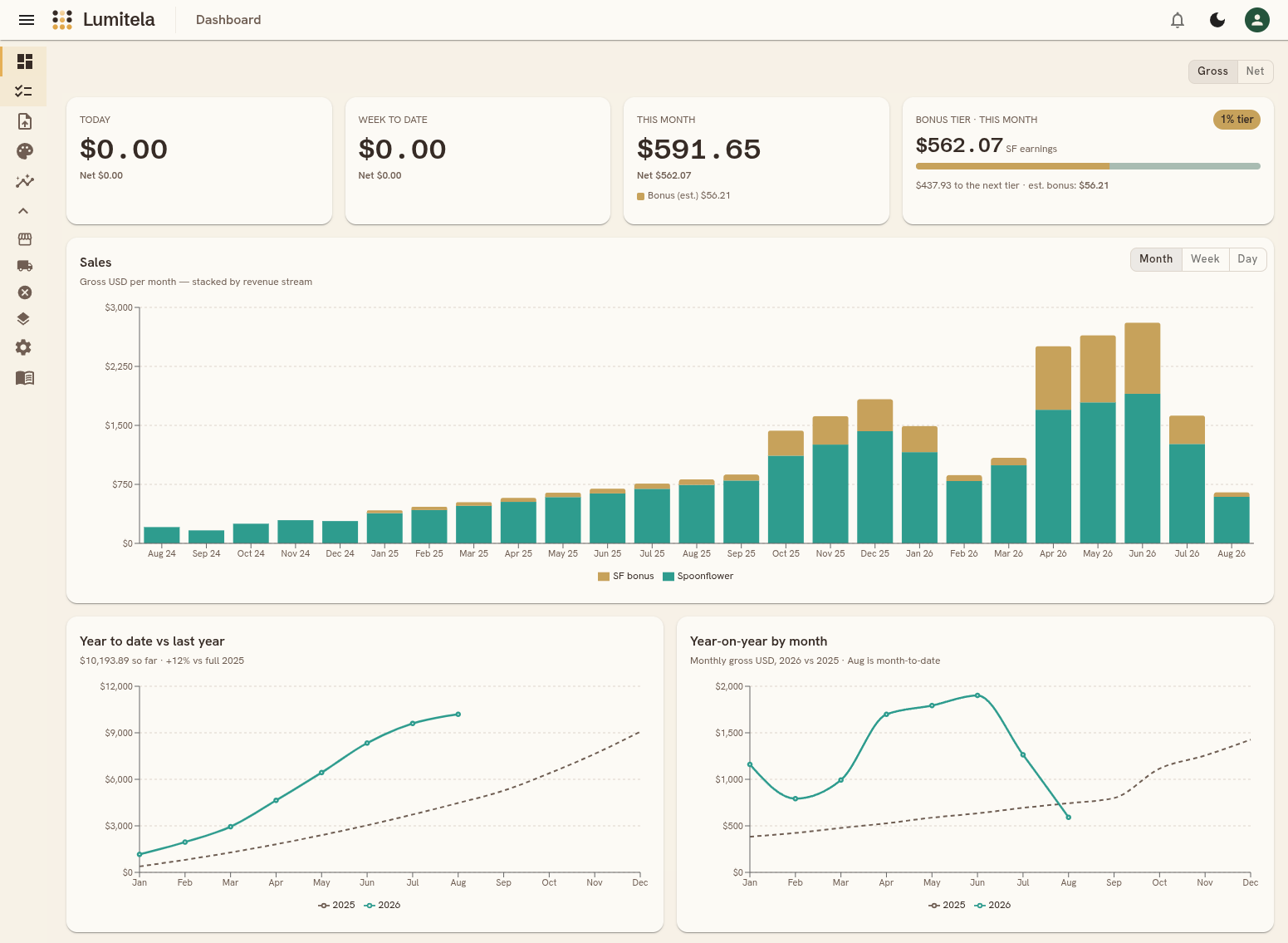
Lumitela is Spoonflower analytics built for pattern designers. It covers your Spoonflower shop, and your Etsy shop when those orders are fulfilled through Spoonflower. At its core it's sales analytics: order emails and payout statements go in, and one reconciled ledger comes out, with nothing typed in by hand. What sold, what it earned, and how your designs are doing.
But the numbers are only half of it. Because Lumitela also holds your whole Design Library, thumbnails, titles, tags and all, it can tell you things a spreadsheet never could: which colorway of a design actually sells, which collections carry your shop, who your repeat customers are, and even the dominant color palette inside each design, matched to real paint colors you can design toward. The aim is intelligence about your catalog, not just a running total: the kind of insight that helps you decide what to design, recolor, or retire next.
How the pieces fit together
Set up once, and it stays current on its own. A one-time import brings in your sales history and your Design Library, then two hands-off feeds keep everything up to date from there. Each step below links to its own guide.
-
1
Import your Design LibraryExtensionPulls every design and colorway from your Spoonflower shop, with thumbnails, titles and tags.
-
2
Import your statementsExtensionBackfills your sales history, with earnings, fees and cancellations included.
-
3
Import saved order emailsManual uploadUpload your exported Etsy orders and Spoonflower fulfillments to complete the history.
-
4
Email forwardingEmailForward new Spoonflower and Etsy order emails as they arrive and sales land in real time, with no passwords to hand over.
-
5
Extension syncExtensionYour statements and Design Library re-sync on a schedule, so fees, cancellations and new designs stay accurate.
What you can answer with it
The dashboard gives you a running picture of sales by channel, so you can see how a day, month or year is shaping up. Design Insights breaks that same picture down by design, colorway family, or Spoonflower collection, so you can see your repeat sellers and your quiet ones, and each design's Spotlight goes deeper: its substrates, sizes, repeat buyers, and extracted color palette. And the bonus tier tracker shows how close you are to Spoonflower's next monthly volume bonus, updated as new sales come in. A short daily report email brings the previous day's sales to your inbox each morning, and a twelve-month forecast on the dashboard projects where your average sales per day are heading.
Where to go next
Ready to set up your own workspace? Head to the Quick Start guide. For a tour of what Lumitela does, see Spoonflower analytics, Etsy and Spoonflower margins, the bonus tier tracker and paint color matching. Prefer to watch? The Lumitela YouTube channel walks through setup end to end, and the relevant videos are embedded throughout these docs.