Profile, billing and your order email addresses
The profile wizard
The first time you sign in, a short wizard sets up your workspace. It ends by pointing you at the Lumitela extension for your first import; the stages before that are about you and your shops.
About you asks for your first name, your last name, and your country. Your country decides two things automatically: your base currency and your starting timezone. You can adjust your timezone right there or later from your Profile page; your base currency is read-only and only changes if you change your country. There's nothing to type for currency itself: it simply follows from the country you pick, so all your figures land in one consistent currency. See Fees, net sales and the Spoonflower bonus schedule for what base currency changes and what stays in USD. If you're running a business, a toggle on this step captures your business name, tax identifier (your ABN in Australia), and billing address, which are used to prefill checkout and your invoices.
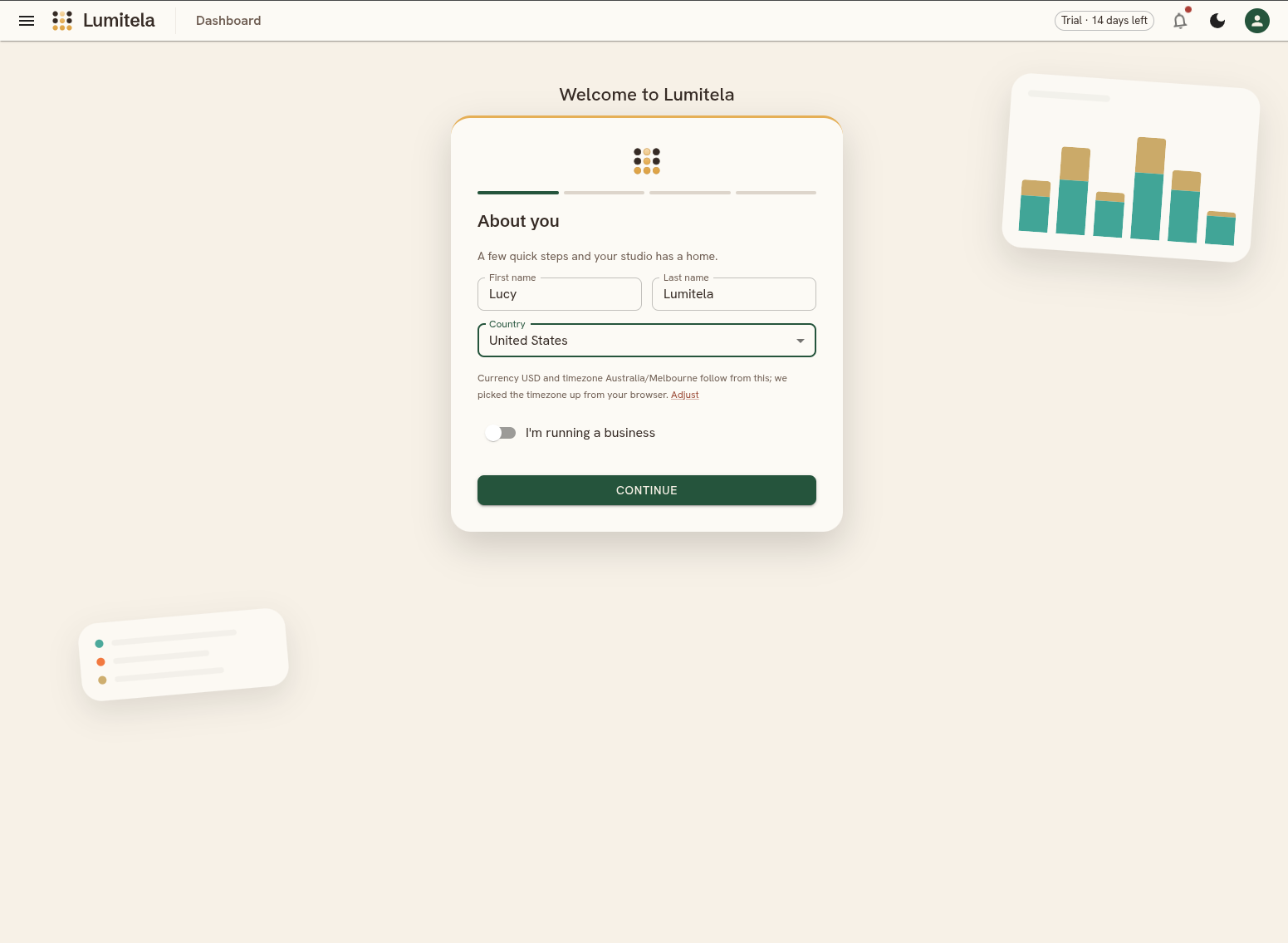
Your shops asks for your Spoonflower username. Spoonflower is always on as a channel. Etsy is opt-in: say yes here (or turn it on later from Settings) and Lumitela asks for your Etsy shop, the currency you set your Etsy prices in, and the currency Etsy pays you in, then unlocks the Etsy fee panel, statement import and audit ledgers. If a second Spoonflower account fulfills your Etsy orders, you can name it here too, along with its order email, so both mailboxes get verified.
Your order email asks where your Spoonflower order emails land, so it can verify your first email address (more on that below).
Your Profile page
Everything the wizard set up lives on your Profile page afterwards (your avatar in the top-right corner, then Profile), across five tabs.
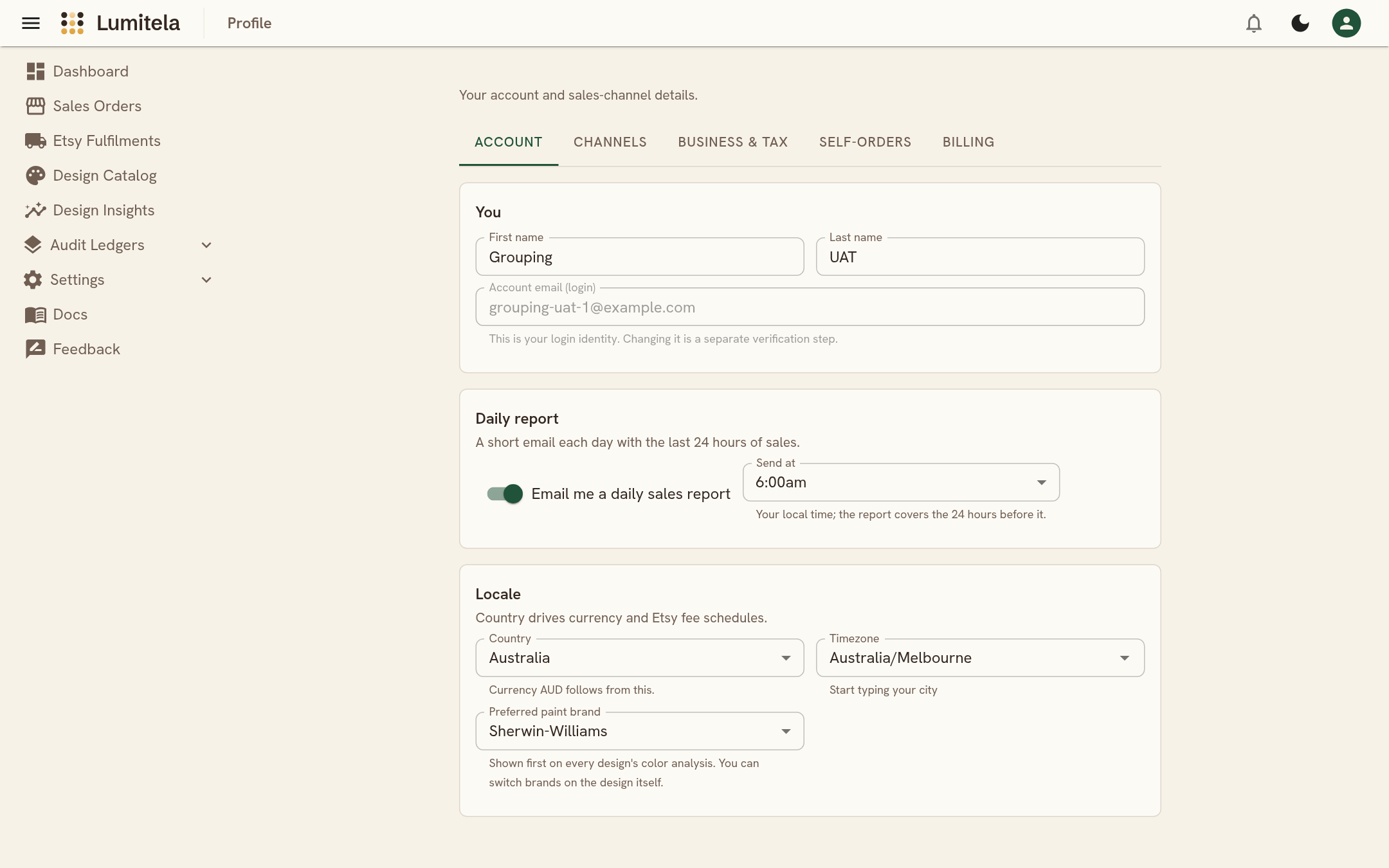
Account holds your name and login email, your daily report, and your locale:
- Daily report: a short email each morning with the previous 24 hours of sales. It's on for every account from day one; switch it off here if you'd rather not have it, and pick the Send at hour in your own local time. The email lists each sale with its design, substrate and product, splits the count by channel, shows a small seven-day chart, and ends with your month so far, the same figure as the dashboard's This month tile. Its subject is always "Lumitela Daily Sales Report", so a mail filter can file it.
- Locale: your country (which sets your base currency), your timezone (start typing a city), and your preferred paint brand for the color analysis on every design: Sherwin-Williams unless you pick Benjamin Moore or Farrow & Ball here.
Channels is where your shops and email addresses live, covered in the next section. Business & tax shows your read-only base currency and the business toggle from the wizard, including whether you're GST registered, which decides whether Etsy's fee estimates include GST on Etsy's own fees. Self-orders is a list of names: any Spoonflower receipt shipped to one of them is treated as your own order or a gift, not a fulfillment cost, and never waits for an Etsy match (see Etsy to Spoonflower order matching). Billing is covered at the end of this page.
Your email addresses
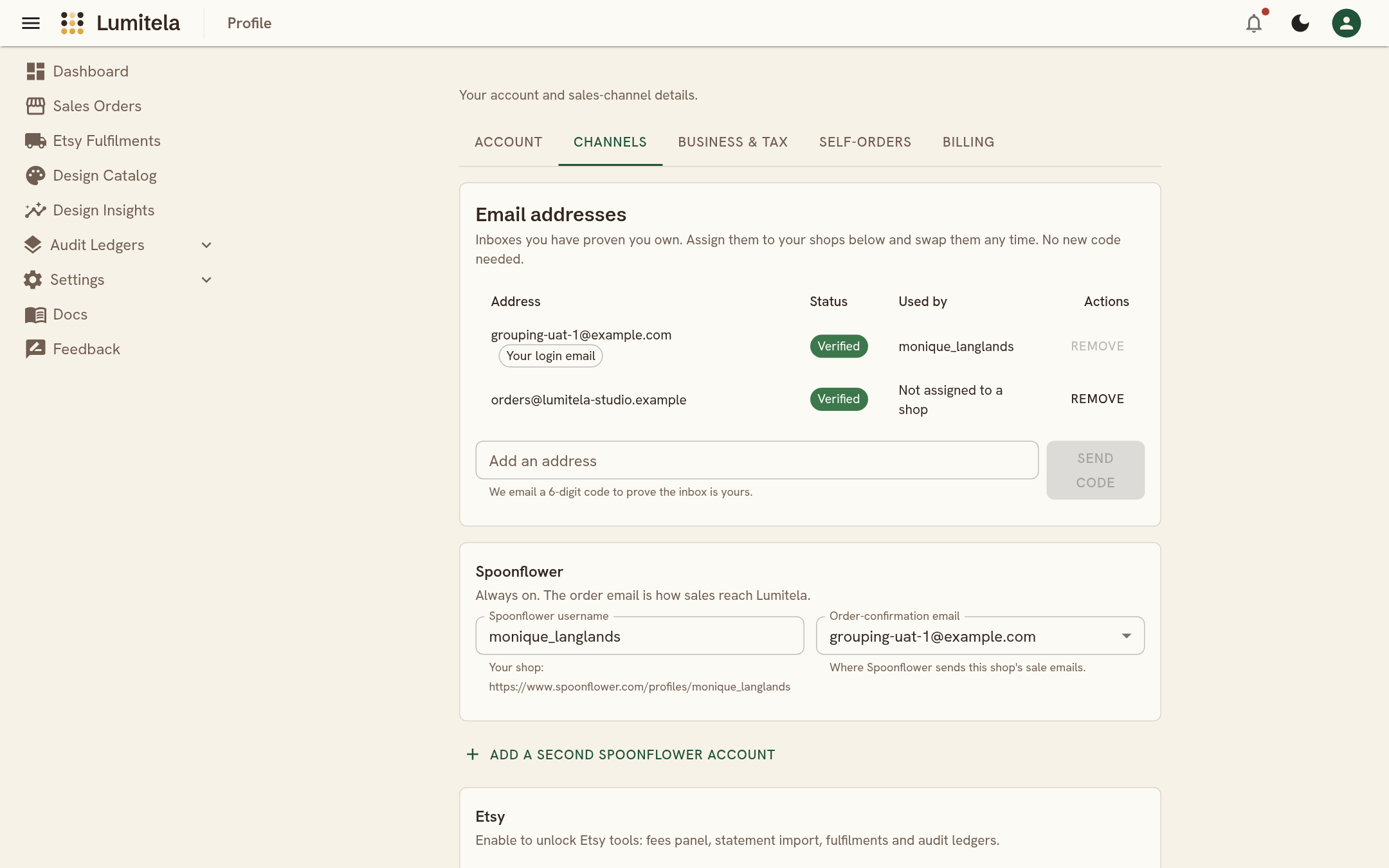
Lumitela keeps a list of the inboxes you have proven you own. You will find it at the top of Profile, Channels. Each address shows whether it is verified and which of your shops uses it.
Adding an address works the same way as before: if it is the address you signed in with, it is verified at once; otherwise Lumitela emails a 6-digit code to that inbox and you type it in. Codes last 15 minutes, and Resend sends a fresh one.
Once an address is verified it stays on your account. Each shop has a dropdown where you pick which of your verified addresses receives its order emails, and you can change that choice any time with no new code. Spoonflower gives every shop its own email, so the two Spoonflower shops can never share an address; Etsy can share one with a Spoonflower shop.
If you remove an address that no shop uses, Lumitela stops delivering mail sent to it. You can add it back later, but you will need a new code.
If an order email arrives for an address you have started adding but not finished verifying, Lumitela keeps it safe and shows a banner asking you to finish. Once you enter the code, the waiting mail is delivered.
If Lumitela receives an order email for an address that's allowed in principle (a real Spoonflower or Etsy sender) but not yet verified by anyone, it's held safely rather than thrown away. As soon as you verify that address, anything held for it is matched up automatically, so verifying late never loses sales history.
Billing
The Billing tab is where your subscription lives. Every account starts with a 14 day free trial with no card needed; a chip in the top bar counts the days down. Pick monthly or yearly and subscribe when you're ready: checkout opens in a Paddle window, prefilled with your country and business details from the wizard. Once you're subscribed the tab shows your plan status and next payment, lets you update your payment method or switch between monthly and yearly, lists every invoice with a download link, and has the cancel button. Canceling stops the next charge and keeps your access until the end of the period you've paid for.
If a trial ends without a subscription, or a subscription lapses, Lumitela becomes read-only: you can still sign in and look, and the Billing tab shows the date until which your data is kept. Subscribe before then and everything is exactly as you left it. After that date the account and its data are deleted. See the Terms of Service and Refund Policy for the fine print.