Spoonflower and Etsy orders and cancellations
The orders list
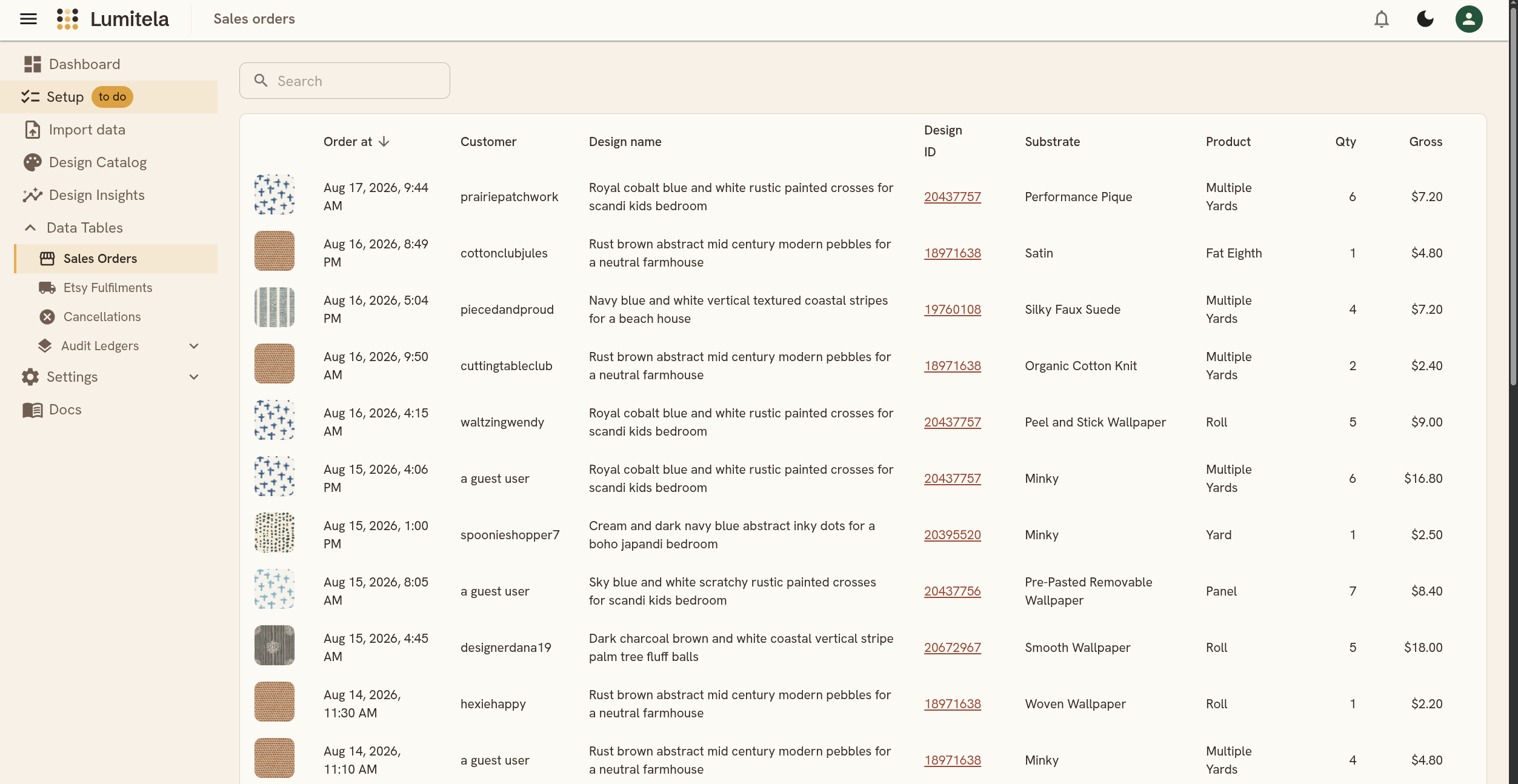
Every sale Lumitela knows about lands in one list, whichever channel it came from. Each row shows the order date and time, the customer, the design name and ID (linked out to the design's Spoonflower page when Lumitela has that ID), substrate, product, quantity, and gross amount. A Source chip on the right tells you how Lumitela got the row: email means it only has the order-confirmation email so far, both means an email and a matched CSV or shop-page row agree, and an Etsy source (etsy_order or etsy_full) means it came from an Etsy import or statement without an email match yet. A small warning icon appears on any row the pipeline flagged for a human look, with a tooltip explaining why.
Use the search box to filter by customer or design name. Click any row to open its detail page.
Order detail
Opening an order shows everything Lumitela has for it, laid out as cards: an Order card (customer, date, source, channel, and the order's provenance details), a Sale card (substrate, product, quantity, gross amount, and currency, with a derived unit price shown for orders of two or more), and a design card with the thumbnail and an Open in Design Insights link that jumps straight to that design's Spotlight. If the row still needs review, the reason shows right there. An email-sourced order gets a Review & correct button to fix a mismatched substrate, product, or quantity by hand; an Etsy order needing review instead gets a Review match button to fix the Spoonflower fulfillment match.
For an Etsy order, a fee breakdown sits below the main details: the total Etsy fees taken out, then each fee line (transaction, processing, offsite ads when they apply, a regulatory fee in some markets, and GST/VAT on Etsy's own fees where it applies), the shop discount and any buyer sales tax shown for context (neither is a fee), and the resulting net. See Fees, net sales and the Spoonflower bonus schedule for what each of those lines means.
Cancellations and refunds
You don't cancel orders inside Lumitela; cancellations and refunds happen on Spoonflower or Etsy and flow in from there. When a Spoonflower statement carries a cancellation line, or an Etsy statement carries a refund, Lumitela nets it out automatically: the money stops counting on the dashboard, in Design Insights, and in the Spoonflower bonus tier tracker. That way a canceled sale never quietly stays in your numbers just because it was already recorded from an earlier statement or email.
Etsy refunds are matched to their order by order number. A full refund brings the order's sale amount down to exactly zero and stops it counting units in Design Insights, while keeping the order (and any fulfillment cost you already paid) visible in your history. A partial refund takes the refunded share off the order's amounts and flags the order for review so you can see what happened. This all works from the statements you already import; forwarding Etsy's cancellation email as well is optional and simply makes the update arrive sooner.
The Cancellations list gathers every cancellation and refund in one place, whichever way it arrived. A Spoonflower statement cancellation shows with its design and the amount that came off your totals; an Etsy refund shows with its order number and amount; an Etsy cancellation email shows with the reason the buyer gave. So if your sales dip and you wonder whether a cancellation is behind it, this one list answers that. Clicking a statement line opens the underlying ledger row; clicking an Etsy cancellation email entry opens its detail page, where Restore order can bring the order back into your totals if the cancellation landed on the wrong order.